Leaving FYI Docs? Bring every document with you.
OneHQ copies your FYI export straight into your firm's own Microsoft 365 / SharePoint, one folder per client, filed by year. FYI keeps its originals, nothing is overwritten, and a CSV accounts for every document.
How the move works
Ask FYI for an export
FYI Support switches on Bulk Export AWS and you run the export. FYI sends a server address, a username and a key file.
OneHQ reads it
It lists every document and reads FYI's own report of which client, cabinet and year each belongs to. Nothing is copied yet.
You choose what comes across
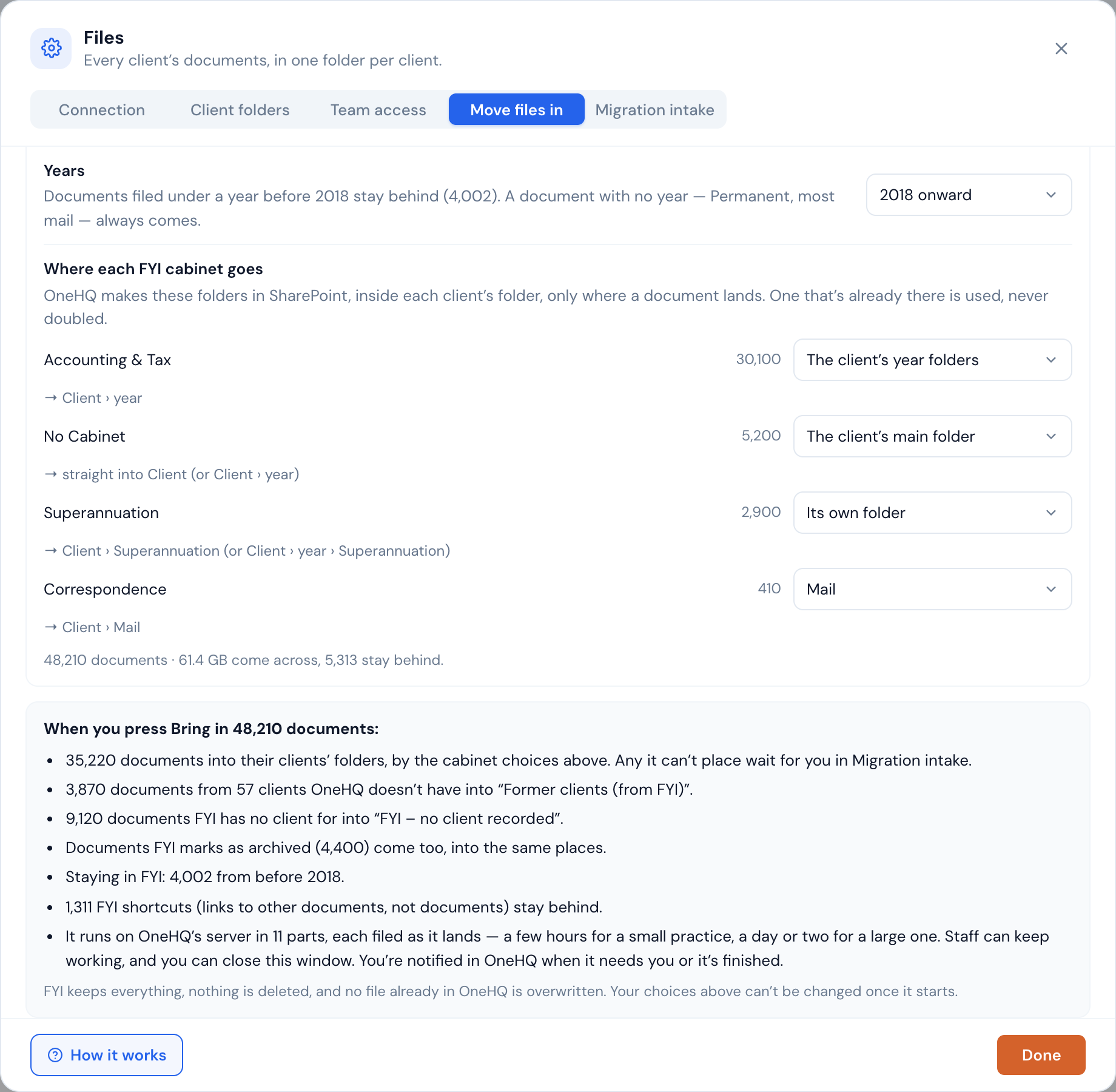
For each FYI cabinet, you pick where it goes in each client's folder, or leave it behind. Before anything starts, OneHQ lists in plain words what will happen.
It brings it in and files it
OneHQ copies server to server into your SharePoint, in parts, filing each part into client folders as it lands. You're notified when it needs you or has finished.
The questions firms ask before they move
Do we lose anything?
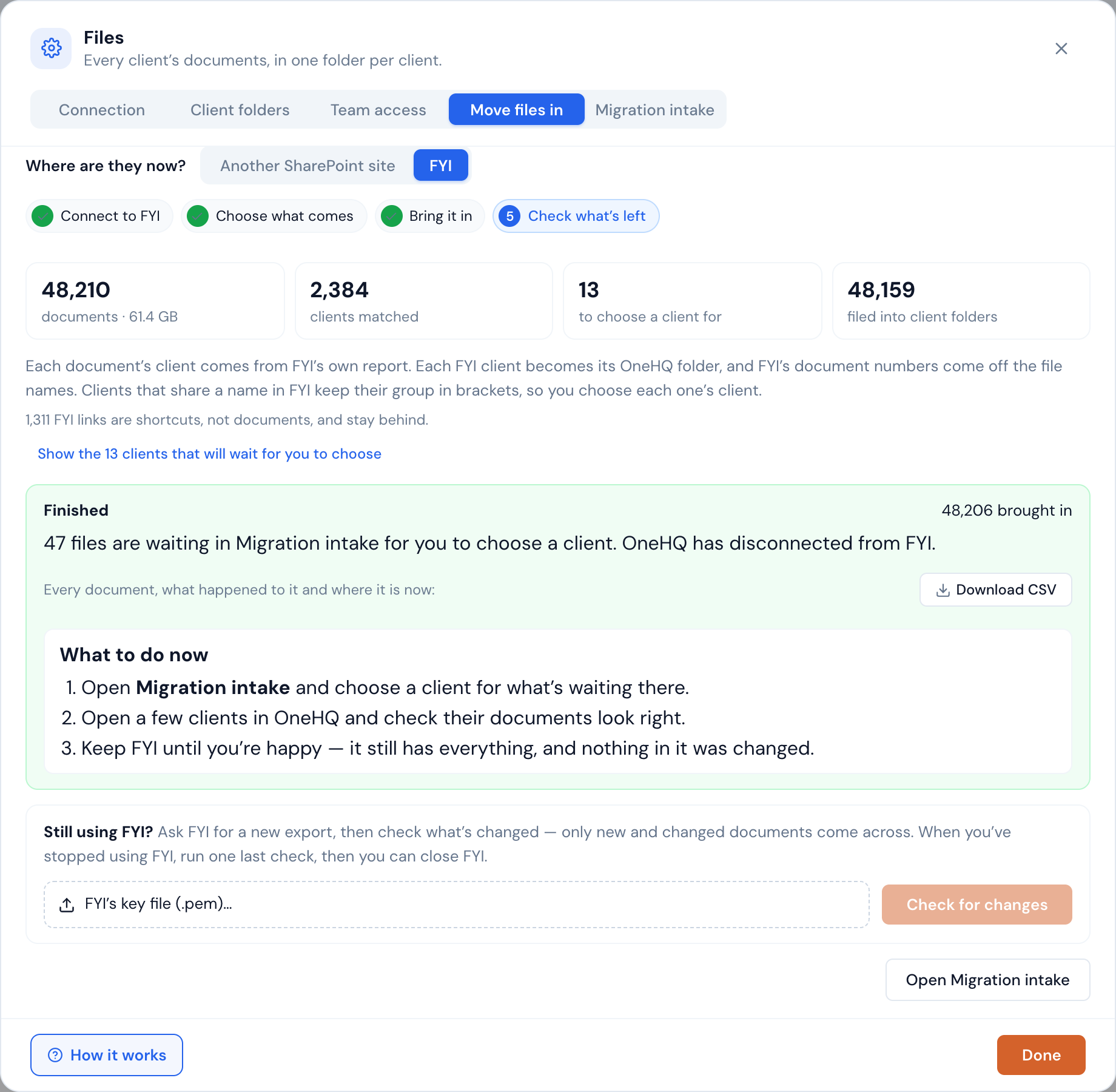
No. OneHQ copies from FYI's server to your SharePoint and FYI keeps its originals; nothing in FYI is changed. Nothing already in OneHQ is overwritten: a document a client already has is set aside rather than doubled up, and a different version is set aside for a person to check. Every document is tracked on its own, and the Download CSV lists every one: what happened to it and where it is now.
What happens to past clients, and documents with no client?
They get their own folders, unless you choose to leave them in FYI. Documents for an FYI client OneHQ doesn't have, usually a former client, go into a Former clients (from FYI) folder, one folder per client. Documents with no client recorded in FYI go into an FYI – no client recorded folder, which we recommend restricting to the people who need it. A current client FYI names differently can be sent to its OneHQ client instead: OneHQ suggests likely matches, and a person presses Use.
How long does it take?
Reading the export can take a few hours for a whole practice. Copying depends on how much there is: a few hours for a small practice, a day or two for a large one.
Do staff have to stop work?
No. The copy runs on OneHQ's server, so no computer needs to stay on and nobody needs to stay logged in. Staff keep working throughout.
Can we check every document came across?
Yes. Download the CSV from the import: it lists every document, what happened to it and where it is now. Anything OneHQ couldn't match to a client exactly waits in Migration intake, where a person chooses the client; OneHQ suggests, it never guesses.
What does it cost?
Migration is included up to 500 GB per practice, counted on what is actually copied. Anything beyond that is charged at cost on your next OneHQ bill, and the screen shows the estimate and asks you to agree before anything is copied. The full wording is in section 8.7 of our terms.
Where do our documents live afterwards?
In your firm's own Microsoft 365 / SharePoint, one folder per client. OneHQ's access rules sit on top, so a client's documents open for the staff who should see them.
The ones that need a person
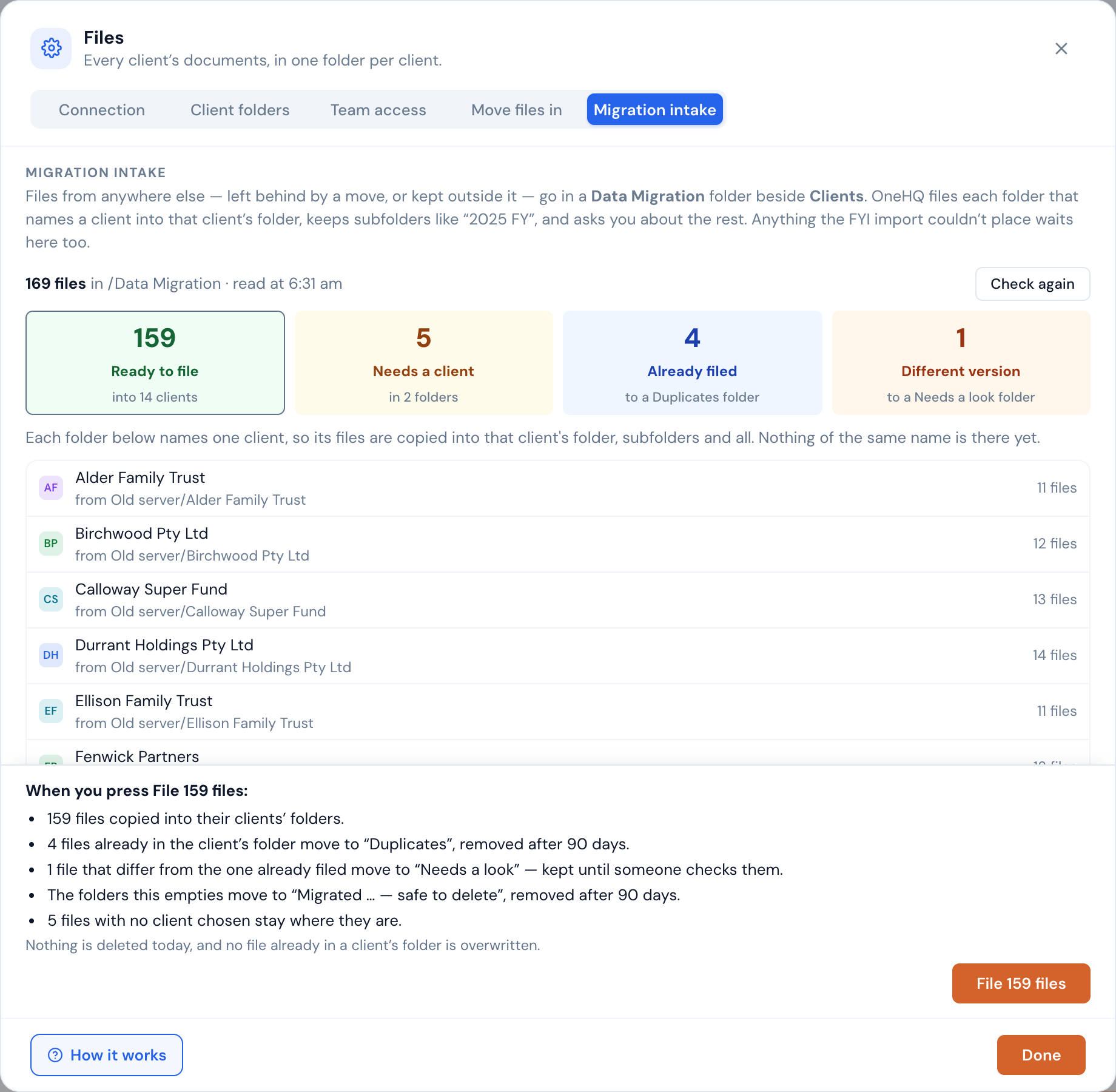
Only an exact client match is filed automatically. Everything else waits in Migration intake, sorted into four counts: ready to file, needs a client, already filed and different version. You choose the client for each folder and press File. The originals are kept in a dated folder for 90 days before they're removed.
- Nothing is guessed: a folder that doesn't name a client exactly waits for a person.
- Nothing is overwritten: duplicates and different versions are set aside, not replaced.
- A report for every file: Download report lists each one and what happened to it.
The step-by-step guide for the person doing the move is in our support pages: Moving your documents in from FYI.
Frequently asked
Can we keep using FYI while we move?
What happens if the copy is interrupted?
When can we close FYI?
Every document, in your own SharePoint.
One folder per client, filed by year, with every document accounted for.
Start nowFYI and FYI Docs are trademarks of their owner. OneHQ is not affiliated with FYI.